

Sync & Feed Health
Every connected supplier feed refreshes on a schedule. Each sync re-checks the supplier’s products, prices and stock and updates your catalog. This page explains where to watch your feeds and how to read what you see.
Where to check feed health
Section titled “Where to check feed health”There are two places to see the state of your feeds:
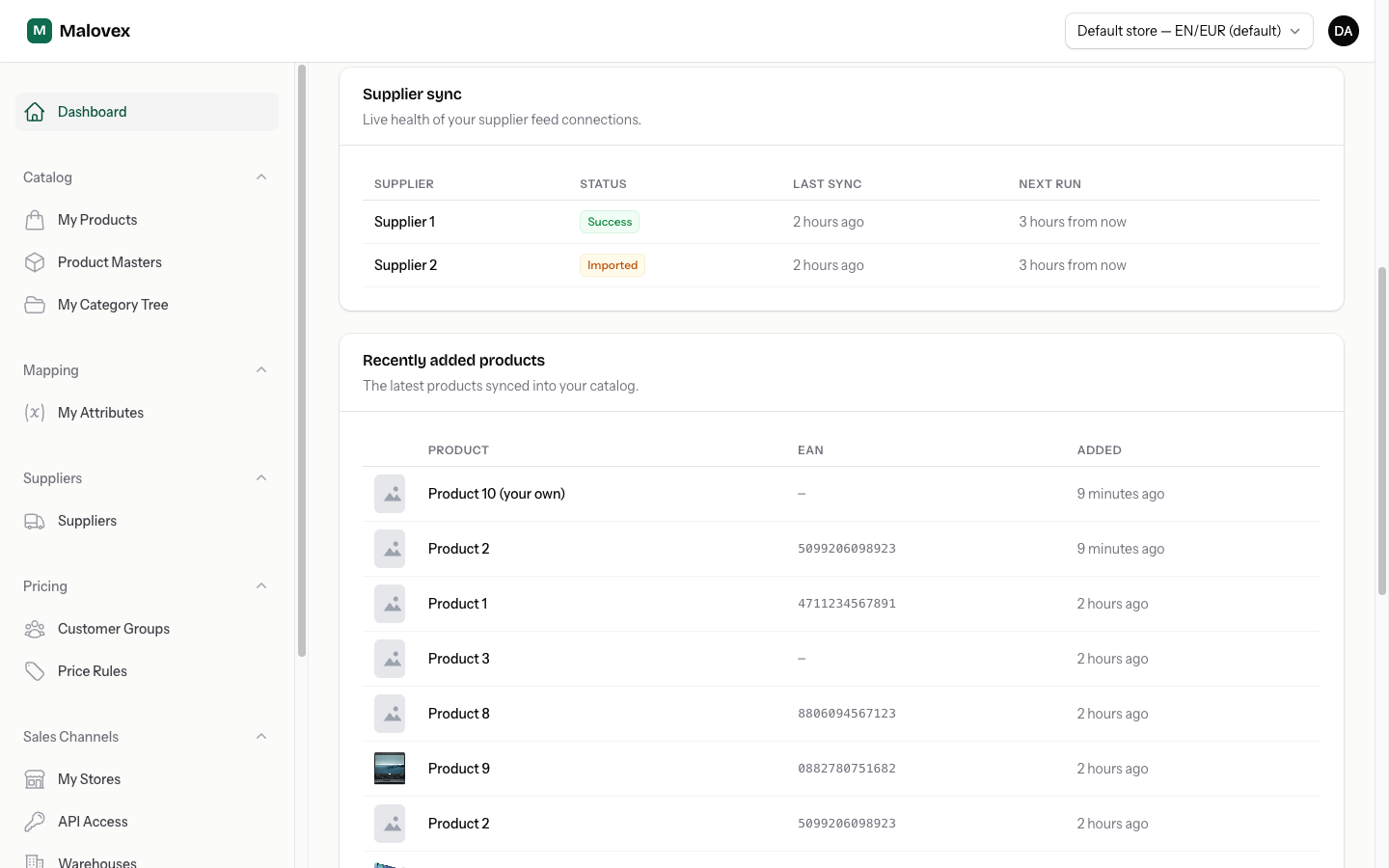
- Dashboard. The Sync health panel on your dashboard lists every connected supplier with its last sync time, current status and next scheduled run — a quick at-a-glance overview.
- Suppliers catalog. The Suppliers page shows a Sync column for each connected supplier, with the same status plus a short “Last synced … · next run …” line beneath it.
Reading the sync status
Section titled “Reading the sync status”Each feed shows one of these statuses:
| Status | What it means |
|---|---|
| Syncing… | A sync is running right now. |
| Success | The last sync finished and everything imported cleanly. |
| Imported | The last sync finished, but some items are still being reviewed by the Malovex team before they go live. |
| Failed | The last sync couldn’t complete. Malovex keeps retrying on the feed’s normal schedule. |
| Never / — | The feed hasn’t run its first sync yet. |
When a feed shows Imported, the catalog note may read “some items pending review” — those are products the Malovex team is still resolving behind the scenes before they go live. See Product Masters for how matching works.
How often feeds refresh Starter and up
Section titled “How often feeds refresh ”How frequently your feeds sync depends on your plan:
- Starter Starter — once a day
- Pro Pro — every 6 hours
- Enterprise Enterprise — every 15 minutes
A supplier’s own feed may refresh less often than your plan’s schedule (some suppliers only publish new data a few times a day), so Malovex won’t pull more frequently than the supplier actually updates. The next run time shown for each feed reflects the schedule that applies to you.
Forcing an early sync
Section titled “Forcing an early sync”Feeds sync on their own schedule, so you don’t normally need to trigger one manually. If you’ve just changed something on the supplier’s side and need Malovex to pick it up right away, contact us — the Malovex team can run a sync for your connection on demand.